# How to fix - this.setState is not a function error in React
If you are new to react and are using class-based components, you might have seen the following errors in the browser:
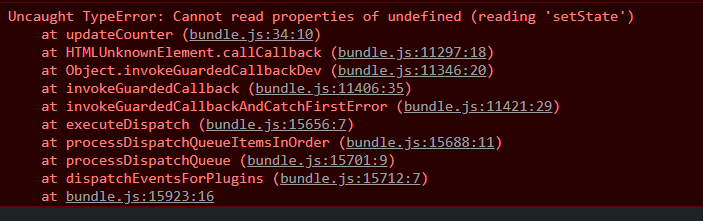
`TypeError: Cannot read properties of undefined (reading 'setState')`
`TypeError: this.setState is not a function`
Have you wondered why this error occurs and how to fix it? In this article, we will discuss the same.
## Replicating the error
Consider the following code:
```jsx
import React, { Component } from "react"
import "./App.css"
export default class App extends Component {
constructor(props) {
super(props)
this.state = { counter: 0 }
}
updateCounter() {
this.setState({ counter: this.state.counter + 1 })
}
render() {
return (
)
}
}
```
When you quickly scan through the code, you will think the code would perfectly fine. However, if you run the code and click on the button, nothing would happen. If you check the browser console, you will see the following error:
## Cause of the error
The reason why this error occurs is because of a concept called [Closures in JavaScript](https://developer.mozilla.org/en-US/docs/Web/JavaScript/Closures). That means the scope/context of the function `updateCounter` and the class `App` are not the same.
This means `App` and `updateCounter` have a different `this`.
In our case, we are trying to access `this` of the `App` class from within the function, which has its own `this`, which is currently `undefined`. Hence the error `Cannot read properties of undefined`.
## How to fix the error
There are 2 ways to fix this issue:
### Using ES6 arrow functions
The easiest way to fix the issue is to convert `updateCounter` function to an arrow function as shown below:
```jsx
import React, { Component } from "react"
import "./App.css"
export default class App extends Component {
constructor(props) {
super(props)
this.state = { counter: 0 }
}
updateCounter = () => {
this.setState({ counter: this.state.counter + 1 })
}
render() {
return (
)
}
}
```
If you test the app now, you will see the counter getting updated when the button is clicked.
You may ask how changing the function to an arrow function fixed the issue out of the blue? What happened to `this` which was `undefined`? Well, arrow functions do not have `this` of their own! They refer to `this` of the lexical environment/context inside which they are declared.
In our case, the function `updateCounter` is defined inside the class `App`, and it refers to the `this` of the class, hence, `this.setState` works!
### Binding this to the function
What if you do not want to use the arrow function (Well I do not see a reason why you should not!) and fix the code by using a traditional function? Well, there is a way!
We can [bind](https://developer.mozilla.org/en-US/docs/Web/JavaScript/Reference/Global_objects/Function/bind) `this` of `App` class to
`this` of `updateCounter` function.
```jsx
import React, { Component } from "react"
import "./App.css"
export default class App extends Component {
constructor(props) {
super(props)
this.state = { counter: 0 }
this.updateCounter = this.updateCounter.bind(this)
}
updateCounter() {
this.setState({ counter: this.state.counter + 1 })
}
render() {
return (
)
}
}
```
The syntax might look weird, but all it does is bind `this` of the class to that of the function.
These kinds of issues will not occur while using functional components with hooks since it does not make use of `this`.